Vouchers Management: Hotel and Service Vouchers Without the Paperwork
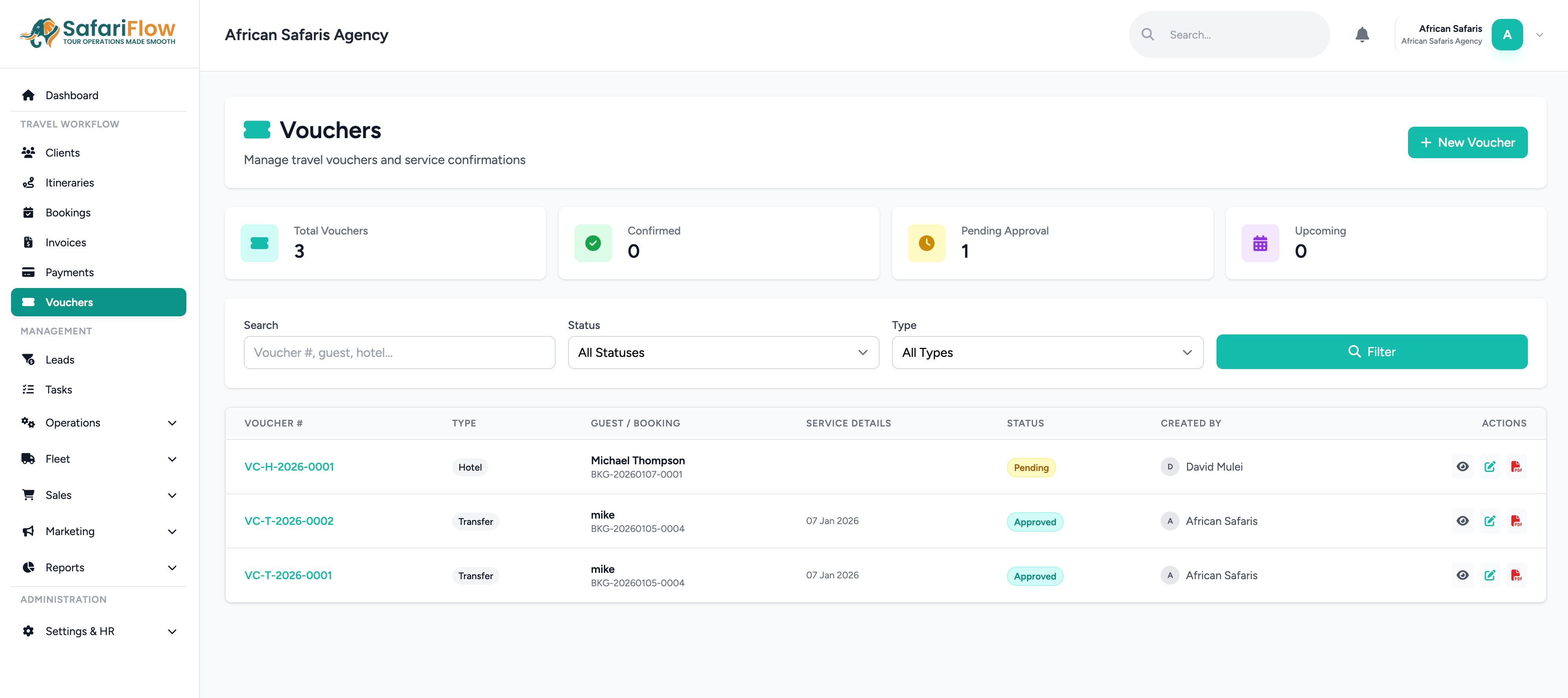
SafariFlow generates auto-numbered vouchers directly from a booking, routes them through an approval workflow, and tracks each one from pending through to used — with QR codes, room and meal-plan breakdowns, and a downloadable PDF ready to hand or send to the supplier.
Vouchers tied to the booking, not typed from scratch
A voucher in SafariFlow isn't a template someone fills in by hand for every stay. It's generated against a specific booking and supplier, carrying over guest names, pax counts (adults, children, infants), check-in and check-out dates, and the service details already captured elsewhere in the system. Every voucher gets a unique, auto-generated number — prefixed per your company's own numbering convention and incremented per voucher type (hotel, transfer, and others) — so there's no risk of two vouchers accidentally sharing a number.
A real approval workflow, not just a document
Vouchers move through defined statuses: pending → approved / rejected → sent → confirmed → used (with cancelled available if a booking falls through). That means a voucher can be reviewed and approved internally before it ever reaches a supplier, and rejections capture a reason instead of just disappearing. For an operator managing multiple staff creating vouchers, this is the difference between a controlled process and hoping nobody sends out an unapproved rate.
The details that actually matter to a lodge or transfer company
- Room breakdown and meal plan breakdown, stored as structured data rather than a paragraph of prose — so a lodge sees exactly how many rooms, of what type, on what meal plan, without back-and-forth emails to clarify.
- QR codes on the voucher for quick verification at check-in.
- Special requests and special instructions carried alongside the core booking details, so nothing gets lost between the original client conversation and what the supplier receives.
- Amount and currency captured per voucher, consistent with how the rest of the booking's finances are tracked.
From voucher to PDF in one step
Once a voucher is approved, it can be downloaded as a PDF — a clean, supplier-ready document generated directly from the same data used everywhere else in the booking, rather than a separately maintained Word template someone edits by hand for every trip.
Why this beats a shared voucher template
The usual alternative — a Word or Canva voucher template someone fills in manually for each stay — has no status tracking, no approval step, and no link back to the booking if something changes. When a booking's dates shift, that connection to a manually-created voucher is exactly what's easiest to forget to update. Generating the voucher from the booking record removes that gap entirely.
Ready to automate your safari operations?
Start your free 14-day trial of SafariFlow — no credit card charged during trial.
Start Free Trial